Getting Started
A step-by-step guide to using Bitcoin USB Wallet. This covers the detailed process from program download to execution.
1. Program Download
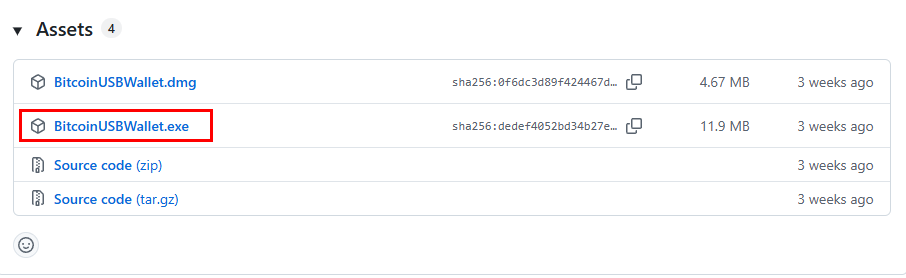
Access GitHub Release Page
Open your web browser and go to:
https://github.com/hyunsungra/bitcoinusbwallet/releasesCheck the latest release version (located at the top)
Download Executable File
- Find the Assets section (below the release information)
- Click on the
BitcoinUSBWallet.exefile to download - Wait for the download to complete
2. Program Execution
First Run
- Double-click the
BitcoinUSBWallet.exefile in your USB drive - Windows security warning will appear
Resolving Windows Security Warning
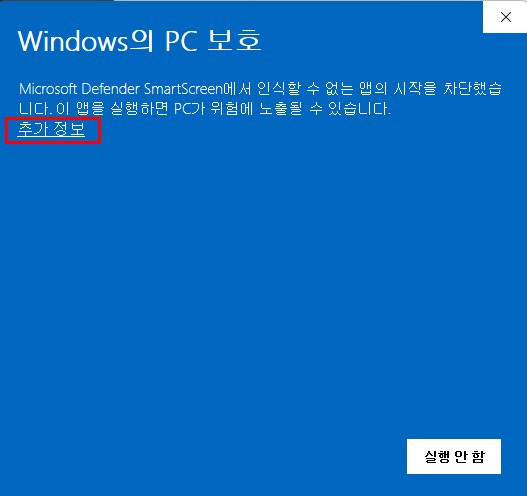
When "Windows protected your PC" window appears:
- Click the "More info" link
- Initially, you may only see the "Don't run" button
- You must click "More info" first
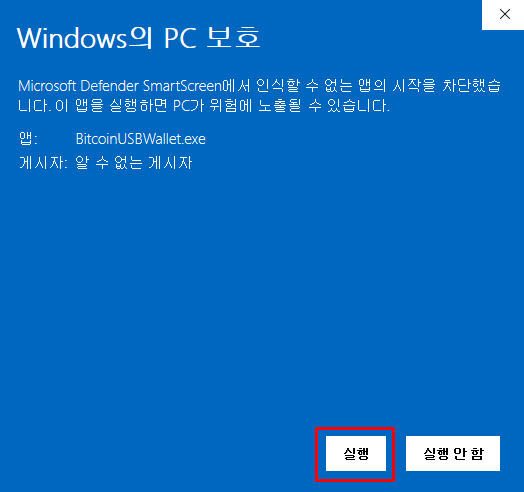
When app information is displayed:
- App: BitcoinUSBWallet.exe
- Publisher: Unknown Publisher
Click the "Run anyway" button
Why security warnings appear:
- Programs made by individual developers don't have Microsoft code signing, so warnings are displayed
- This is normal behavior, and files downloaded directly from GitHub are safe
- This is an open-source project where you can check the source code directly
Program Start Screen
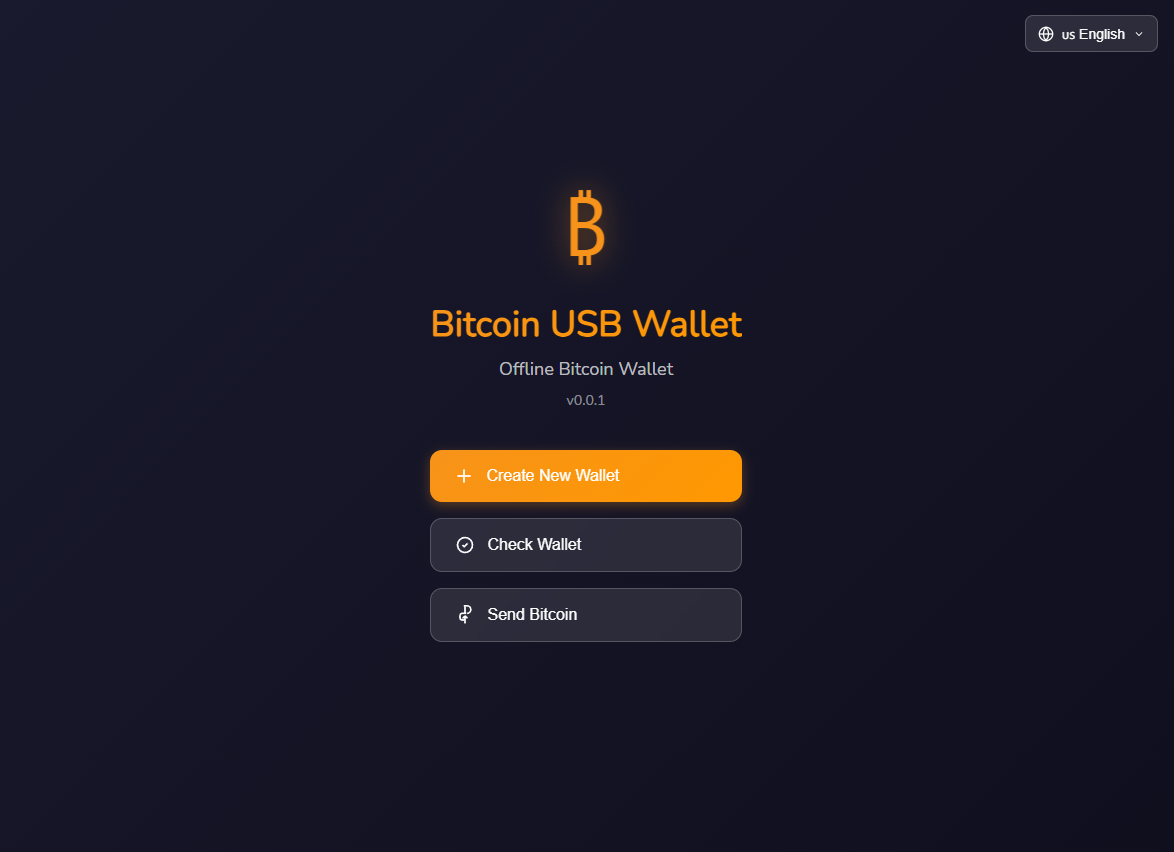
After passing the security warning, Bitcoin USB Wallet's main screen appears:
- Create Wallet: Create a new Bitcoin wallet
- Load Wallet: Open existing wallet file
- Send Bitcoin: Bitcoin transfer function
3. Recommended Usage Environment
Offline Usage (Recommended)
- Disconnect internet connection before running the program
- Turn off Wi-Fi
- Disconnect ethernet cable
- Perform wallet creation and management tasks
- Close the program after completing work
- Reconnect to internet only when necessary
4. Securely Preparing USB Drive
USB Setup
- Prepare a USB drive with at least 64MB capacity
- Connect USB to computer
File Transfer
- Find the downloaded
BitcoinUSBWallet.exefile- Usually located in the
Downloadsfolder
- Usually located in the
- Copy or move the file to a folder on your USB drive
USB Security
- Always use USB only on secure computers
- Don't use on public computers or PC cafes
- Safely remove USB after use (Safely Remove Hardware)
5. Troubleshooting
When executable file won't open
- Add to antivirus program's exception list
- Temporarily disable Windows Defender real-time protection and run
- Run as administrator (right-click → "Run as administrator")
When download is blocked
- Unblock download in browser settings
- Try with a different browser
- Copy download link directly from GitHub page and use download manager